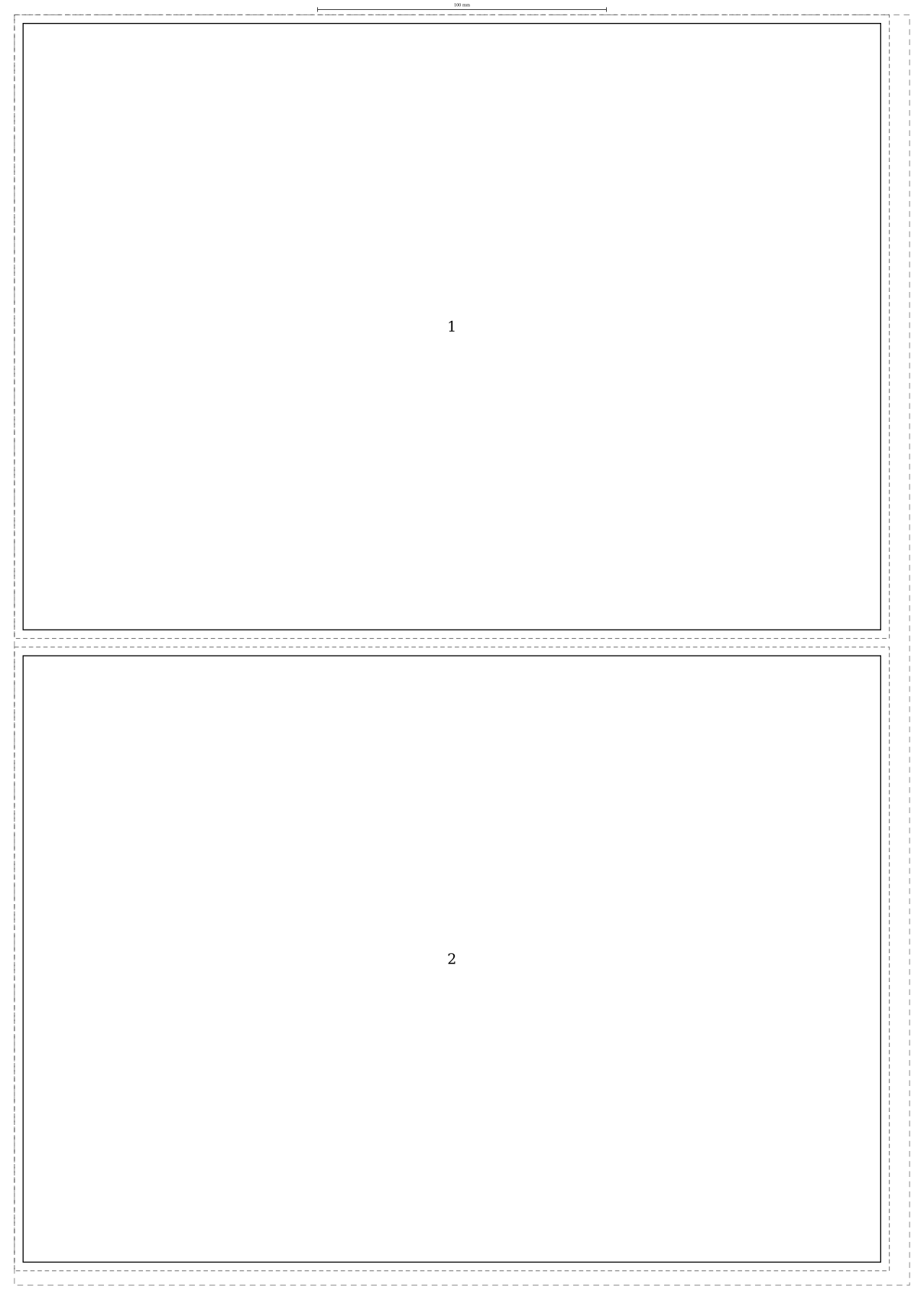
A4 bleed dimensions, with the conditions attached
- Finished trim
- 210 × 297 mm; the finished page remains A4.
- Condition
- Exactly 3 mm of bleed outside every edge, with the document kept at 100% scale.
- Artwork footprint
- (210 + 2 × 3) × (297 + 2 × 3) = 216 × 303 mm.
- Physical limit
- A 216 × 303 mm footprint cannot fit inside a 210 × 297 mm A4 sheet at actual size. This remains true before any printer margin is reserved.
- Boundary of this answer
- Bleed is outside the trim; it does not enlarge the intended finished page. Crop marks, extra gutters and printer-specific clearance need separate allowance. A 3 mm bleed is this example's input, not a universal printer specification.
Adobe's A-series dimensions supplies the nominal trim measurement; Adobe's bleed guidance explains extending artwork beyond trim. The footprint and fit conclusion are arithmetic from those stated inputs.
Add the allowance twice to each dimension
There is bleed on the left and right, and again at the top and bottom. The calculation is therefore 210 + 3 + 3 = 216 mm wide, and 297 + 3 + 3 = 303 mm high. The trim boundary stays at A4's 210 × 297 mm.
Extend backgrounds or images beyond that boundary rather than stretching the finished page itself. Adobe's bleed guidance describes this extra artwork as material removed during trimming. A 3 mm allowance is the example here, not a substitute for the print provider's specification.

Why it cannot print at actual size on A4 stock
The artwork is wider and taller than the sheet. A 216 × 303 mm rectangle cannot fit inside 210 × 297 mm at 100%, even with a borderless printer. Choosing Fit may reduce it, but then the finished trim will be smaller than A4. Borderless modes can also introduce their own enlargement or cropping.
Use larger stock, keep the intended dimensions and trim afterwards, or agree a different finished size. The actual-size printing guide explains how to check for unintended resizing.
Two A4 pieces with bleed cannot fit on A3
Two bare A4 pages fit nominal A3, but two independent 216 × 303 mm bleed footprints do not. Each occupies 65,448 mm²; together they require 130,896 mm². An A3 sheet has only 297 × 420 = 124,740 mm².
That area comparison rules out every rotation or packing at the stated scale, even before margins and gaps. It assumes each piece keeps its own full bleed rectangle; overlapping or shared artwork is a different production arrangement.
A worked two-up alternative on SRA3
Fujifilm's paper catalogue lists SRA3 as 320 × 450 mm. Reserve 5 mm per sheet edge: the usable rectangle is 310 × 440 mm. Rotate each A4 bleed footprint to 303 × 216 mm, then stack two with a 3 mm gap. The occupied layout is 303 × 435 mm, so it fits geometrically.
| Parent sheet | Usable area with 5 mm margins | Two separate A4 bleed footprints |
|---|---|---|
| A3: 297 × 420 mm | 287 × 410 mm | Impossible even before margins, by area |
| SRA3: 320 × 450 mm | 310 × 440 mm | Constructed rotated layout: 303 × 435 mm |
This is a dimension check, not a press-ready imposition file. Crop marks, gripper, colour bars, grain direction and finishing can need additional room. Agree them with the printer. For smaller pieces, see A6 on A3; for a different finished format, start with the A5 dimensions instead of reusing the A4 footprint.
Sources and calculation method
- ISO 216:2007 identifies the trimmed A-series standard. Adobe's published A-series table supplies the nominal millimetre dimensions used here.
- Adobe: set a print bleed explains artwork extending beyond the finished trim. The 3 mm bleed in our examples is a chosen allowance; use your printer's requirement.
- Fujifilm Digital Uncoated Paper catalogue: manufacturer listing of SRA3 as 450 × 320 mm.
- Adobe: set printer's marks: marks can require space beyond the page and bleed.
Placements, comparisons and proofs are Paper & Scale's calculations from those dimensions. They assume axis-aligned rectangular pieces at 100% scale, optional 90-degree rotation, separate bleed footprints and the stated spacing. They do not certify a production job.